
Your website.
Built through a conversation.
Create and update a Ship It Sites website with ChatGPT or Claude. Describe your business, ask for changes, and review the result.
Private beta · Customer access coming soon
From a request
to a real draft.
Example request
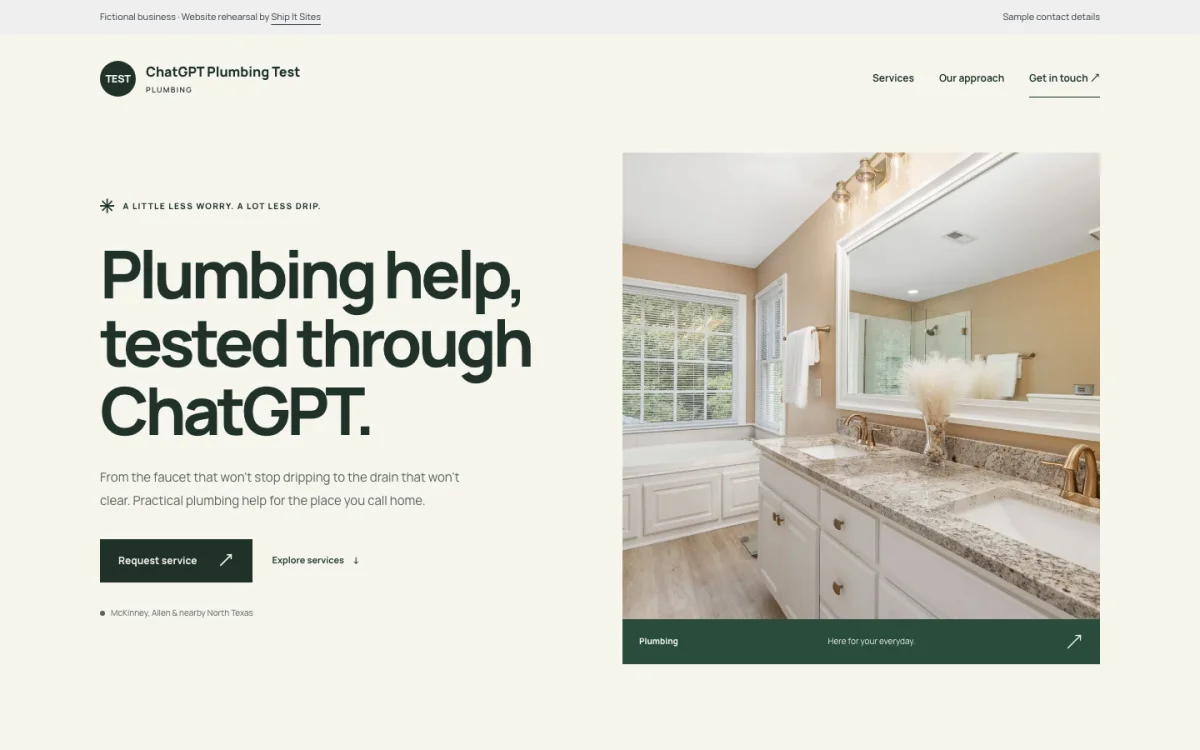
“Create a plumbing website with a clean design. Include our services and a way to get in touch.”
We tested this workflow in ChatGPT: create a draft, change its headline, check the design, and open a preview.
Tell it what you have in mind.
Start with your business. Refine the details. See how it looks on a phone and a larger screen.
Explore the design stylesStart your draft
Choose a starting design and describe the services you offer.
“Create a clean, one-page website for my plumbing business.”
Ask for a change
Update your headline, service descriptions or business information.
“Make the headline friendlier and add water heater repair to my services.”
Review the result
Check the content and design, then open a preview of the reviewed draft.
“Show me the mobile layout so I can check the page.”
These are example requests for a connected assistant. The current beta uses fictional test sites; customer connections, photo uploads and website launch are still being prepared.
Help shape a simpler way to build.
Already use ChatGPT or Claude? Tell us what you would like to create.
Email a beta requestOpens your email app. You can also write to hello@shipitsites.com. No payment or commitment.
Getting connected
- Choose your assistant. Tell us whether you use ChatGPT or Claude in your email.
- Wait for an invitation. We will confirm availability and send the setup instructions for your assistant.
- Connect and start a draft. Once your connection is ready, describe the website you want to create.
Public connection links are not available yet. ChatGPT has completed our internal workflow test; Claude testing is in progress.
A few things to know.
Can I connect it today?
Customer access is not open yet. We are testing with fictional websites before inviting businesses. Email a beta request and tell us which assistant you use. We will confirm availability and setup before you connect.
What is MCP?
MCP is the connection that lets an AI assistant use tools from another service. Once Ship It Sites is connected, your assistant can use our website tools when you ask it to create or change a draft.
Will a chat message publish my website?
No. The current tools create and update drafts for review. Publishing, domain setup and payment stay separate. A preview is a chance to check your website before any launch.
How much will AI access cost?
Customer pricing and access requirements are still being finalized. A beta request is an expression of interest, with no payment or commitment. We will explain any costs before you decide to participate.
Can Ship It Sites build the website for me?
Yes. Our done-for-you website service is still available. Tell us about your business and we will help you choose a design, agree the scope and build your website.
Prefer to leave the building to us?
We can handle your website from the first idea to launch.
Tell us about your project